Discover Veo 3.1: The Future of AI-Powered Video Creation on Image2Video AI
Enter Veo 3.1, the cutting-edge AI video generation model that redefines what's possible for creators, marketers, educators, and storytellers alike.
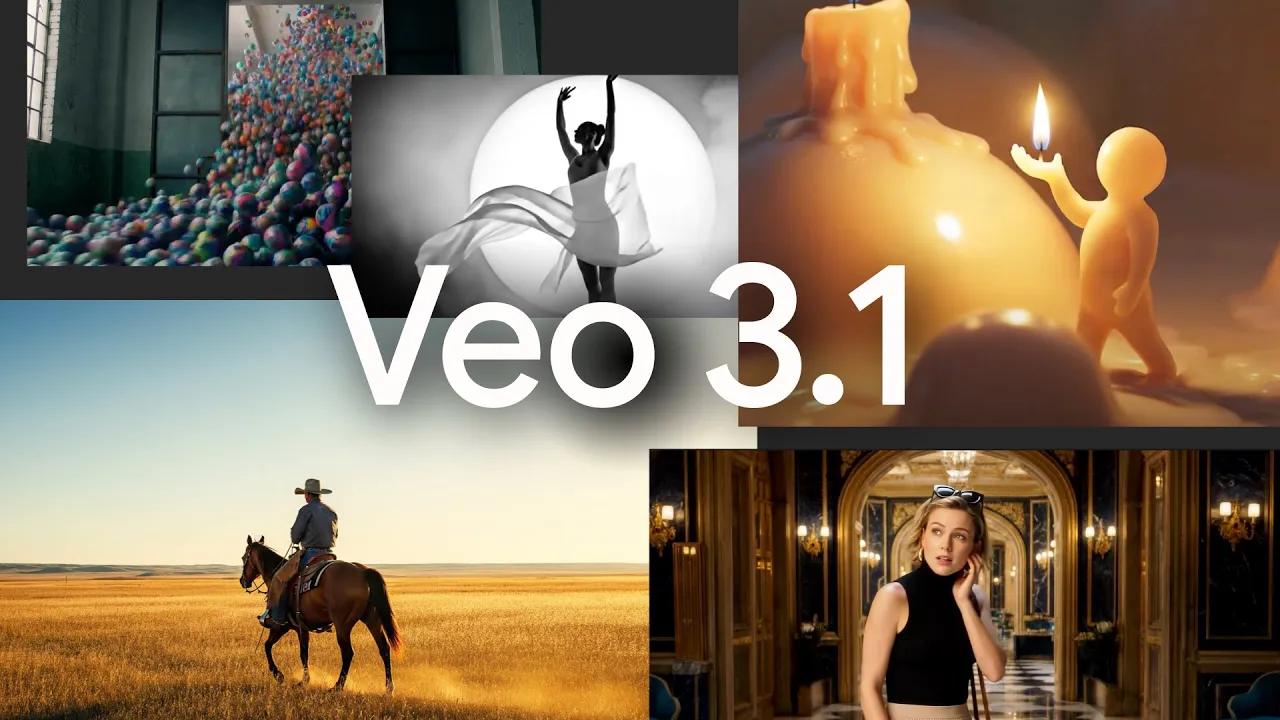
In an era where visual storytelling dominates digital communication, the ability to turn ideas into captivating videos has never been more valuable. Enter Veo 3.1, the cutting-edge AI video generation model that redefines what's possible for creators, marketers, educators, and storytellers alike. Available directly through Image2Video AI, Veo 3.1 empowers users to generate high-fidelity, cinematic videos complete with synchronized audio, natural motion, and exceptional consistency—all from simple text prompts or reference images.
This latest advancement brings professional-grade results within reach of anyone with an internet connection. Whether you're producing short social media clips, marketing materials, educational explainers, or narrative sequences, Veo 3.1 delivers immersive, realistic output that feels alive. Ready to experience it for yourself? Dive into Veo 3.1 on Image2Video AI today.
What Makes Veo 3.1 Stand Out?
Veo 3.1 represents a significant evolution in generative video technology. It excels at creating short, dynamic clips (typically around 8 seconds by default, with options to extend) that combine stunning visual realism with native audio generation. Unlike earlier approaches that required separate tools for sound and visuals, Veo 3.1 handles everything in one unified process: moving images, lip-synced dialogue, ambient effects, and evolving background layers that match on-screen action perfectly.
The model's core strength lies in its understanding of real-world physics, lighting, and human motion. Faces maintain natural expressions, materials reflect light accurately, and camera movements feel cinematic rather than artificial. This level of coherence minimizes common issues like jitter, inconsistent textures, or abrupt style shifts, resulting in videos that look polished and production-ready.
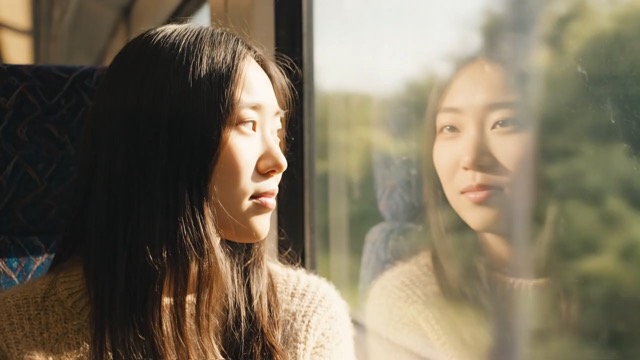
Core Features of Veo 3.1
Veo 3.1 is packed with capabilities designed to give users greater creative control and higher-quality results. Here are the standout features:
1. Unified Audio-Visual Generation
One of the most impressive aspects is the model's ability to produce synchronized sound natively. You can describe scenes that include spoken dialogue, subtle sound effects, or atmospheric layers—and Veo 3.1 generates audio that aligns perfectly with the visuals. This creates a truly immersive cinematic flow, where audio evolves naturally alongside motion.
2. Flexible Multi-Modal Inputs
Veo 3.1 supports a variety of inputs to guide generation precisely:
- Text Prompts — Write detailed descriptions of scenes, actions, moods, and camera angles.
- Reference Images — Upload up to three images to lock in character appearance, style, lighting, or composition for consistent branding or storytelling.
- Start/End Frames — Define key moments in the timeline, letting the model interpolate smooth, realistic transitions between them.
This multi-modal approach allows for fine-tuned control, making it easy to maintain continuity across shots or enforce specific visual elements.
3. Cinematic Realism and Frame-to-Frame Consistency
The model delivers coherent lighting, textures, depth, and motion—even with complex camera movements or angle changes. It handles challenging elements like facial details, fabric folds, reflections, and environmental interactions with remarkable accuracy, reducing the need for post-production fixes.
4. Creative Extension and Control Tools
Start with a short clip and use the extend feature to build longer sequences with seamless transitions. Adjust pacing, insert keyframes, or evolve scenes dynamically. This makes it ideal for creating continuous narratives without visible seams or quality drops.
5. Versatile Output Options
Choose between 16:9 (widescreen cinematic) or 9:16 (vertical mobile-first) aspect ratios. Outputs are available in 720p or 1080p resolutions for crisp clarity. Generation is efficient, often completing in just a couple of minutes for standard clips.
These features combine to make Veo 3.1 a powerful tool for professional-grade video production. Explore all of Veo 3.1's advanced capabilities and start experimenting.
How to Get Started with Veo 3.1 on Image2Video AI
Image2Video AI makes accessing Veo 3.1 simple and user-friendly—no complicated setups, no specialized hardware, and no steep learning curve.
- Navigate to the Platform — Head to the Veo 3.1 section on Image2Video AI.
- Craft Your Prompt — Write a clear, descriptive text prompt. Be specific about actions, camera movements, lighting, mood, and style for the best results.
- Add Guidance (Optional) — Upload reference images or start/end frames to influence appearance, consistency, or motion paths.
- Customize Settings — Select your preferred aspect ratio (16:9 or 9:16) and quality mode.
- Generate and Review — Submit the task. Once complete, preview the video, make adjustments if needed, and download the final MP4 file.
The entire process is intuitive, and outputs come with full commercial rights—no licensing restrictions—so you can use them freely in projects, marketing, or distribution.
Begin your Veo 3.1 journey right now on Image2Video AI.
Practical Use Cases and Creative Applications
Veo 3.1 shines across a wide range of scenarios:
- Marketing & Advertising — Generate product demos, brand stories, or promotional clips with consistent visual identity and engaging audio.
- Social Media Content — Create vertical videos optimized for mobile platforms, complete with dynamic motion and sound that grab attention instantly.
- Education & Training — Produce explanatory videos, animated tutorials, or multilingual content with clear visuals and synchronized narration.
- Storytelling & Entertainment — Build short films, concept teasers, or narrative sequences that feel cinematic and emotionally resonant.
- Corporate & Virtual Production — Craft internal communications, virtual tours, or training simulations with realistic physics and audio.
Users consistently praise the model's natural pacing, balanced lighting and motion, realistic character movement, and flawless audio sync—saving hours of editing time while boosting viewer engagement.
Tips for Getting the Best Results
To maximize Veo 3.1's potential:
- Use descriptive, structured prompts (e.g., "A serene forest at dawn, gentle camera pan right, soft golden light filtering through leaves, birds chirping softly in background").
- Provide high-resolution reference images for better consistency.
- Experiment with keyframe inputs to guide complex actions or transitions.
- Iterate quickly—generate variations and refine based on previews.
Why Choose Image2Video AI for Veo 3.1?
Image2Video AI provides a seamless, accessible way to harness Veo 3.1's full power. The platform streamlines the workflow, offers fast generation times, and ensures users retain complete ownership and commercial rights to their creations. It's the ideal choice for anyone looking to produce high-quality AI videos without barriers.
Final Thoughts
Veo 3.1 marks a major milestone in AI video generation, blending realism, audio integration, and creative flexibility into one powerful model. Whether you're a seasoned creator or just starting out, the possibilities are endless.
Unlock your next project today. Visit Image2Video AI to experience Veo 3.1 firsthand.
Happy creating!